Soccer and pickup game team randomizer
Build your pickup teams in seconds: paste the group list, set each player's skill level and draw fair sides. No more arguing over who plays with whom — and no stacked team steamrolling the match.
Automatically split players into balanced teams. Perfect for soccer, volleyball, basketball and any sport.
Smart automatic balancing system in 3 simple steps
Add participants and assign a skill level (tier from 1 to 5) for each player. The system will be automatically saved in your browser.
Set how many players each team will have and click on "Randomize Teams". The algorithm will distribute players in a balanced way considering skill levels.
View balanced teams with score statistics. Didn't like it? Draw again as many times as you want until you find the ideal combination.
From weeknight pickup soccer to PE class: draw balanced teams in seconds.
Build your pickup teams in seconds: paste the group list, set each player's skill level and draw fair sides. No more arguing over who plays with whom — and no stacked team steamrolling the match.
Perfect for 5-a-side on the court: draw balanced squads for your weekly futsal game, and generate a knockout bracket whenever the group wants a tournament.
Organize 7-a-side matches with squads leveled by the balancing algorithm. Extra players rotate in — they show up clearly in the sitting-out card.
Split balanced pairs, quads or full sixes for beach or indoor volleyball. Adjust team size from 2 to 10 players to match the format.
From 3v3 at the park to full-court 5v5: spread the playmakers and bigs fairly using skill levels and keep every game competitive.
Teachers use Squadb to form mixed groups and teams for PE classes, field days and group activities — fast, free and with no student accounts.
Features built for whoever organizes the game
Give each player a level from 1 to 5 and the algorithm distributes everyone into teams with balanced scores — no blind draw that ends in a one-sided match.
Copy the confirmed-players list from your group chat and paste it all at once: numbering, dashes and emojis are stripped automatically and duplicate names are skipped.
One tap builds the formatted message with the teams, their scores and who sat out — ready to paste in the group or send straight through the WhatsApp button.
Turn the drawn teams into a championship: generate the single-elimination bracket, mark the winners and follow it through to the champion.
Players and teams are saved only on your device (localStorage). Nothing is sent to servers and no account tracks you.
Open the browser and you're ready: no account, no install, nothing to pay — on your phone or your computer.
Clear your doubts about how the platform works
You can randomize as many times as you want. The algorithm runs on every click, always generating a new possible combination based on the registered players.
No. Squadb is a 100% free tool designed to make it easier to organize tournaments and matches between friends, with no subscription required.
You don't need to create an account. All registered players are saved only in your browser (localStorage), which makes usage faster and more private.
For each player you assign a skill tier (1 to 5). The randomizer uses this information to distribute participants among teams in a balanced way, avoiding concentration of very strong or weak players on a single team.
Yes. You can use the "Clear Players" button to remove all registrations and delete the data saved in your browser.
Add the players (or paste the group list), set each one's skill level and tap Draw Teams. Squadb splits everyone into balanced sides instantly — ideal for pickup soccer and casual matches.
Yes. Use the 'Paste list' tab, paste the confirmed list exactly as it comes from WhatsApp and Squadb cleans numbering, dashes and emojis automatically, skipping repeated names.
It does. Team size is configurable from 2 to 10 players, so it works for futsal (5), 7-a-side (7), volleyball (2 to 6), basketball (3 or 5) and any team sport.
After drawing 2 or more teams, tap 'Generate tournament bracket'. Squadb builds the knockout bracket automatically and you mark each match winner until the champion is decided.
It runs right in your phone's browser, nothing to install. The interface is built for mobile use, with the draw button always within reach and one-tap sharing.
Guides and strategies from the Squadb blog

The deal is worth more than R$2 billion (about $370M) with a deadline of September 30, 2026. Here's what's confirmed, and what approvals are still pending.
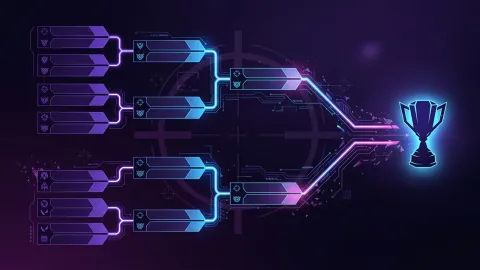
MIBR beat KRÜ and ENVY, FURIA beat G2 and Evil Geniuses: here's how both Brazilian teams locked an upper-bracket playoff spot ahead of the São Paulo finals.
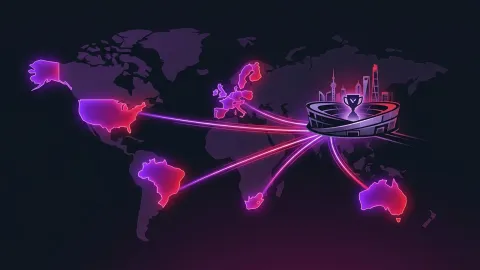
Each region gets 4 Champions 2026 slots, but only 2 come from the playoffs. Here's how Championship Points work and why an eliminated team can still qualify.
Free, no sign-up, straight from the browser — build balanced teams in seconds.
Build teams for free